ClickMagick Plan Limitations That Matter
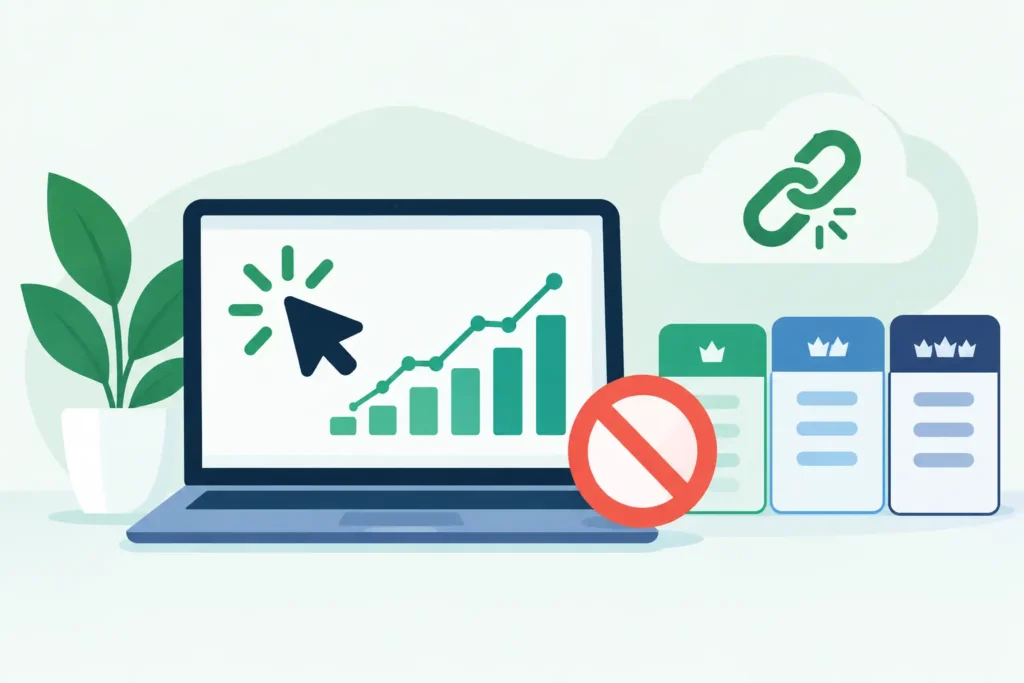
A tracking plan can look inexpensive right up until a winning campaign doubles spend, click volume spikes, and the data you need to make tomorrow’s budget decision sits behind a limit. For a broader look at ClickMagick’s features, pricing tiers and trade-offs, see our independent ClickMagick review. ClickMagick plan limitations matter because attribution infrastructure is not a set-it-and-forget-it purchase. It has to keep up with the traffic, funnels, reporting depth, and people involved in your operation.
The right question is not whether the entry plan is affordable. It is whether the plan can measure the decisions you actually need to make without forcing you to remove campaigns, shorten your reporting window, or upgrade in the middle of a scale cycle.
ClickMagick Plan Limitations Start With Volume
Most tracking platforms price around usage because every tracked visit, redirect, conversion event, and stored record creates infrastructure cost. With ClickMagick, the practical constraint is usually tracked click volume, not how much you spend on media.
That distinction matters. A $10,000 monthly campaign with a high-ticket offer may generate relatively few clicks. A $10,000 campaign to a low-cost ecommerce product, lead magnet, or content page can generate far more. Two advertisers with identical spend can need very different plans.
Before choosing a tier, pull 30 to 90 days of outbound-click data from your ad platforms and analytics. Include paid social, paid search, native, influencer placements, affiliate traffic, email clicks, and retargeting. Then add headroom. A reasonable planning range is 25% to 50% above current traffic if you expect to test new channels or increase spend.
Do not use reported conversions to estimate tracking volume. Clicks are the billing and capacity concern. If Meta shows 80,000 link clicks per month and Google Ads adds 40,000, a 100,000-click allowance is already too tight before organic, email, affiliates, or testing traffic enter the picture.
Traffic overages are not merely an accounting annoyance. When a team starts rationing tracked links to stay under a limit, reporting becomes selective. Selective reporting creates the exact blind spot a tracking tool was supposed to eliminate. Winners get switched off because the source data is incomplete. Losers get more budget because their unattributed sales look like someone else’s success.
Data Retention Can Limit the Questions You Can Answer
Retention is easy to ignore during setup and expensive to discover later. Plans may differ in how long click-level records, attribution details, conversion data, or reporting history remain available. Current allowances and definitions can change, so verify the retention terms shown for the specific plan before buying. This article is a planning framework, not a verified comparison of today’s ClickMagick tiers; check the official plan details for current click allowances, overage rules, features, and cancellation terms.
This is not just a compliance or recordkeeping issue. It affects optimization.
If your offer has a same-day purchase cycle, a shorter lookback period may be workable. If you sell higher-consideration services, subscriptions, B2B products, or offers with long email follow-up, short retention can weaken your ability to connect the original click with later revenue. The campaign that produced the lead may be gone from the decision window before the deal closes.
Retention also matters when performance changes. Suppose CPA climbs in October. You may need to compare the traffic source, landing page, creative, device mix, and bot rate against August, not just last week. Without sufficient historical detail, you are left with platform dashboards that may use different attribution rules and have their own incentives in the reporting chain.
Ask a plain question before selecting a plan: how far back do we need trustworthy, decision-ready data? For many direct-response teams, 90 days is a minimum operating window. For agencies, subscription businesses, and sales teams with delayed conversions, a year or more may be more useful. The answer depends on your sales cycle, refund window, and reporting responsibilities.
Feature Gates Matter More Than a Long Feature List
A plan comparison table can make every tier appear capable because all tiers may include basic tracking links and conversion tracking. The useful comparison is not the feature count. It is whether the tier includes the controls required for your acquisition model.
For example, a solo affiliate marketer may primarily need clean tracking links, sub-IDs, conversion tracking, traffic-quality visibility, and split testing. A media-buying agency may need multiple tracking domains, client separation, shared access, reporting controls, and enough capacity to avoid treating every new client as a pricing event.
Not sure whether your current tracking can connect clicks to revenue? Take the Free ClickMagick Tracking Assessment to identify potential gaps in your tracking setup.
Ecommerce teams should pay close attention to how the plan supports revenue tracking, postback or integration requirements, and the number of funnels or tracking assets they intend to manage. A tool can report conversions while still leaving a gap between an initial ad click and actual order value if implementation is incomplete.
The same caution applies to traffic-quality tools. Bot filtering, VPN or proxy detection, click-fraud analysis, and rule-based traffic handling can be valuable when invalid traffic is a documented problem. They are not magic. No filter can prove every click is genuine or recover every wasted dollar. Verify what the plan includes, how the rules are configured, and whether you can review the underlying data before acting on it.
Domains, Users, and Client Structure Create Hidden Friction
The limitation that catches growing teams is often not clicks. It is account structure.
A single brand with one main site may be able to operate comfortably with a small number of custom tracking domains. An agency managing separate clients, brands, regions, or offers needs cleaner boundaries. Reusing one domain across unrelated clients can create operational confusion, complicate access control, and make it harder to diagnose a tracking issue without touching other accounts.
Team access matters for the same reason. If one person owns every tracking link, pixel, and integration, that person becomes a bottleneck. If everyone has unrestricted access, a rushed redirect edit can break attribution across active campaigns. Check the plan’s user allowances, permission options, and account organization before the first client or new hire makes them urgent.
This does not mean every small advertiser needs an agency-level plan. It means you should buy for the next operating stage you can reasonably see, not the smallest possible setup. Paying for unused capacity forever is wasteful. Rebuilding domains, link structures, user processes, and reporting habits during a launch is worse.
ClickMagick Does Not Replace Every Measurement System
ClickMagick can add an independent layer between ad-platform reporting and your actual funnel activity. That is valuable when you need to compare sources, preserve tracking parameters, measure multi-step paths, identify suspicious traffic, or understand which campaign produced a sale outside a platform’s self-reported view.
It does not make attribution perfect. Browser restrictions, blocked scripts, consent choices, deleted cookies, device changes, offline sales, and incomplete checkout integrations still affect what can be observed. Server-side events can improve signal resilience in some setups, but they require correct implementation and event matching. They do not turn every anonymous journey into a fully identified customer record.
If your existing stack already records reliable source, campaign, conversion, and revenue data at the level you need, another platform may be unnecessary. That is especially true for a small operation with one channel, one landing page, short conversion lag, and a simple checkout.
The case for additional tracking becomes stronger when you cannot reconcile spend with revenue, platform numbers disagree, UTMs disappear, affiliate traffic needs independent measurement, or delayed conversions make weekly optimization guesswork. The tool should close a defined reporting gap. It should not become another dashboard your team checks without changing any decisions.
How to Choose the Right Plan Without Guessing
Start with your current reality: monthly tracked clicks, number of active domains, conversion delay, users, client accounts, and channels. Then model the next six months. Include a launch month, not just an average month. Tracking capacity should survive the period when an offer works, because that is when incomplete data is most costly.
Next, list the decisions the data must support. Can you isolate a profitable creative? Trace a sale back to the source and campaign? Separate bot-heavy placements from legitimate audiences? Measure revenue after an email follow-up sequence? If a plan cannot support those questions, its lower price is not a saving.
Finally, test implementation before treating any dashboard as truth. Confirm that links preserve parameters, conversion events fire once, revenue values match your checkout or CRM, and reporting definitions are understood by the people allocating budget. A 14-day trial can be useful for this, but only if you send real test traffic and validate outcomes against your source systems.
Choose the smallest ClickMagick plan that covers your real traffic and measurement requirements with room to operate. Then keep watching the limits. The point is not to own more software. The point is to keep making media-buying decisions with numbers you can bet budget on.
Not sure where your tracking is breaking down?
Take the Free ClickMagick Tracking Assessment to identify potential gaps in your current tracking setup.